In Lesson 1, we assembled a coral from three layers. The team works on the shot, and everyone opens the scenes of the others on their machine. Therefore, we agree on where the files are located and how they are named, and the path to the Houdini project is taken from $JOB.
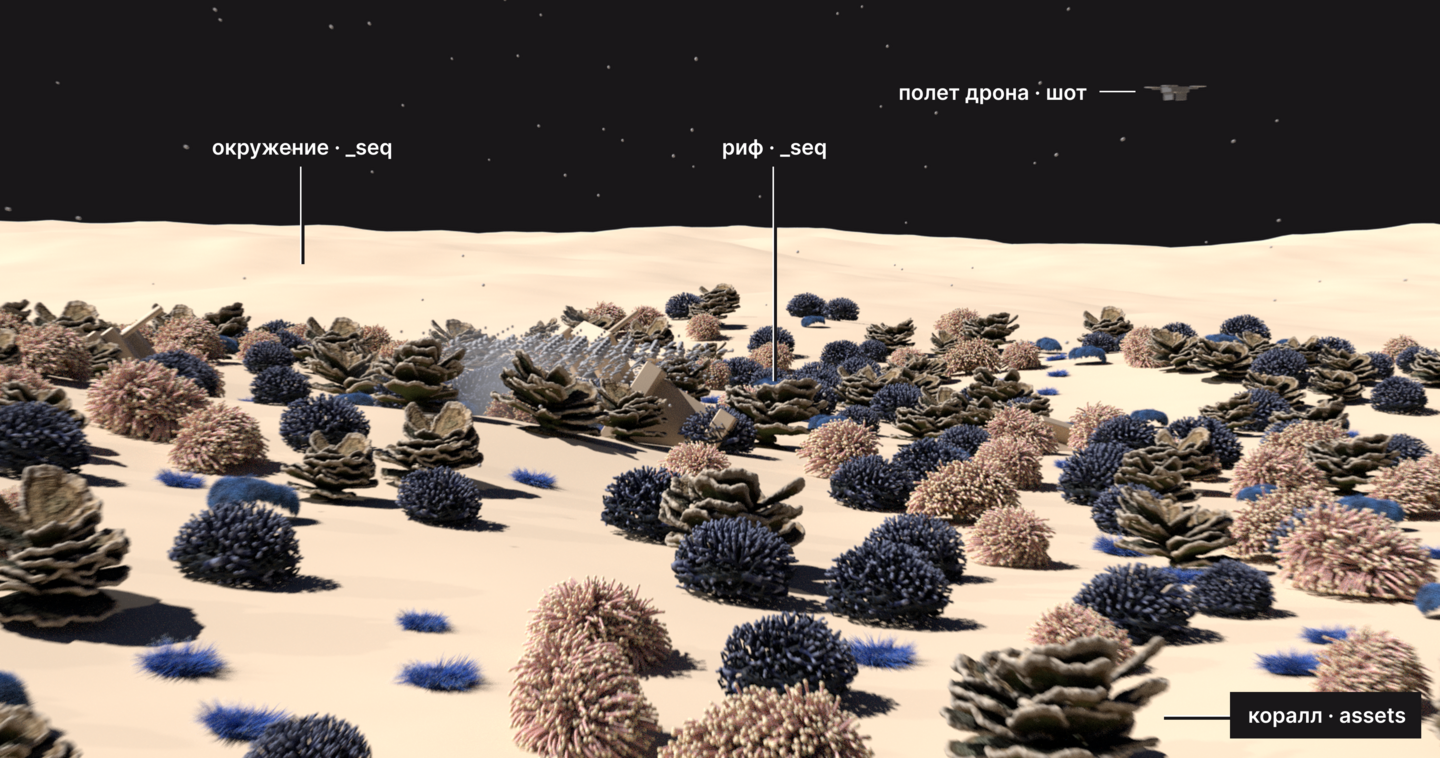
The folders and names are the same for everyone, but the $JOB is unique to each person. Therefore, the scene opens on any machine.
1. Folders and Versions
All scene paths begin with $JOB.
Working scenes are located in activities, this asset uses build, and nothing else pulls from there. Publish contains what has been handed off to others.
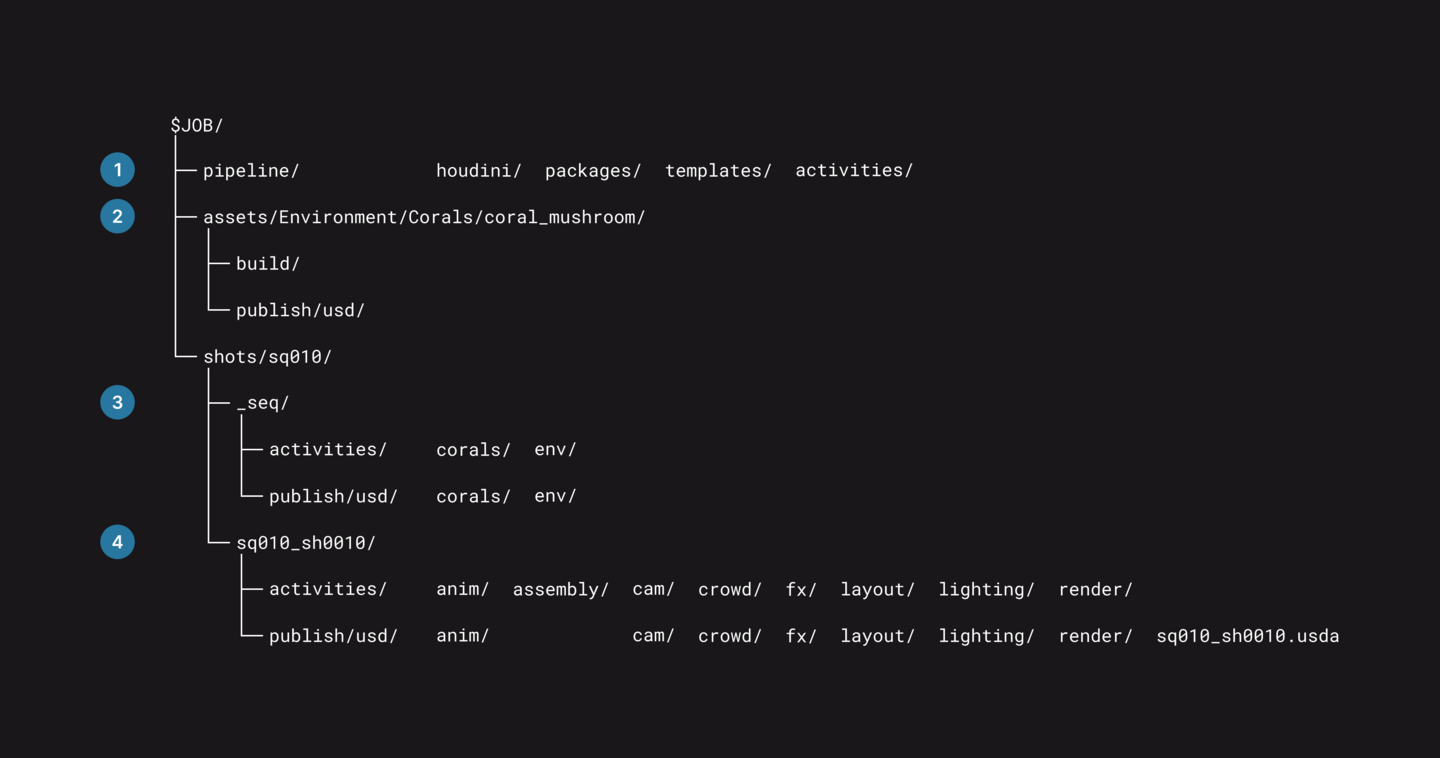
1. In the pipeline, general settings for Houdini, templates, and the skeleton script (if you have one).
2. Assets are organized by categories and groups; corals are located in Environment/Corals.
3. In _seq, the settings are general for the entire sequence—meaning shot groups—including environment and rigs.
4. Each shot has its own folder named with the sequence and shot numbers.
USD ROP for the coral scene writes the layer directly to publish.
1. The path in the Output File starts with $JOB.
2. The scene itself is located in build/houdini, with the version number in the name.
3. The layer’s version is the folder.
4. The file name is the same across all versions.
Write names in Latin script, and use only one case for the name. For USD coral_mushroom and Coral_mushroom are different names, but they are the same for Windows.
The department’s scene sublevel only pulls external layers from the publish and pipeline. 1. The scene itself is located in the activities shot, within the department’s and artist’s folder. 2. The camera layer, version number, must be in both the folder and the name. 3. The environment and rig are from _seq. 4. The scene skeleton comes from the pipeline—this is covered in Lesson 3.
We do not overwrite the released version. The fix is released in the next folder.
The new version is placed alongside the old one, and you activate it with a single line: SubLayer, just like in Lesson 1.
1. In File, change v001 to v002.
In Shot, the department layer version is also changed with a single line—that’s Lesson 7.
2. Practical Assignment
Task. Organize your project according to the template; it should contain 3 assets, 1 sequence, and 2 shots.
Deliverables. A screenshot of the folder structure, and the $JOB file after opening the scene on a different machine.
Passed if
1. The $JOB shows a folder for its project, and also after opening someone else’s scene.
2. Folders and names match the template.
3. Caches, renders, and backups are stored outside the cloud folder.
4. The publish directory contains neither .hip files nor caches.
Common errors. Your partner has an error icon on the nodes, but the error text references our disk. The path without $JOB remains in the node.
When opening someone else’s scene, $JOB points to their folder.
JOB always points to the author’s disk. It was recorded in a shared package.
The project is set up using a template and will open on any machine. We can discuss later who will write in which scene branch.