
In a standard scene, all the work in Houdini resides within a single .hip file, and only one person can edit it at a time. In USD, a scene is assembled from layers, with each department having its own file. Today, we will examine whose changes prevail and record our own as a separate layer.
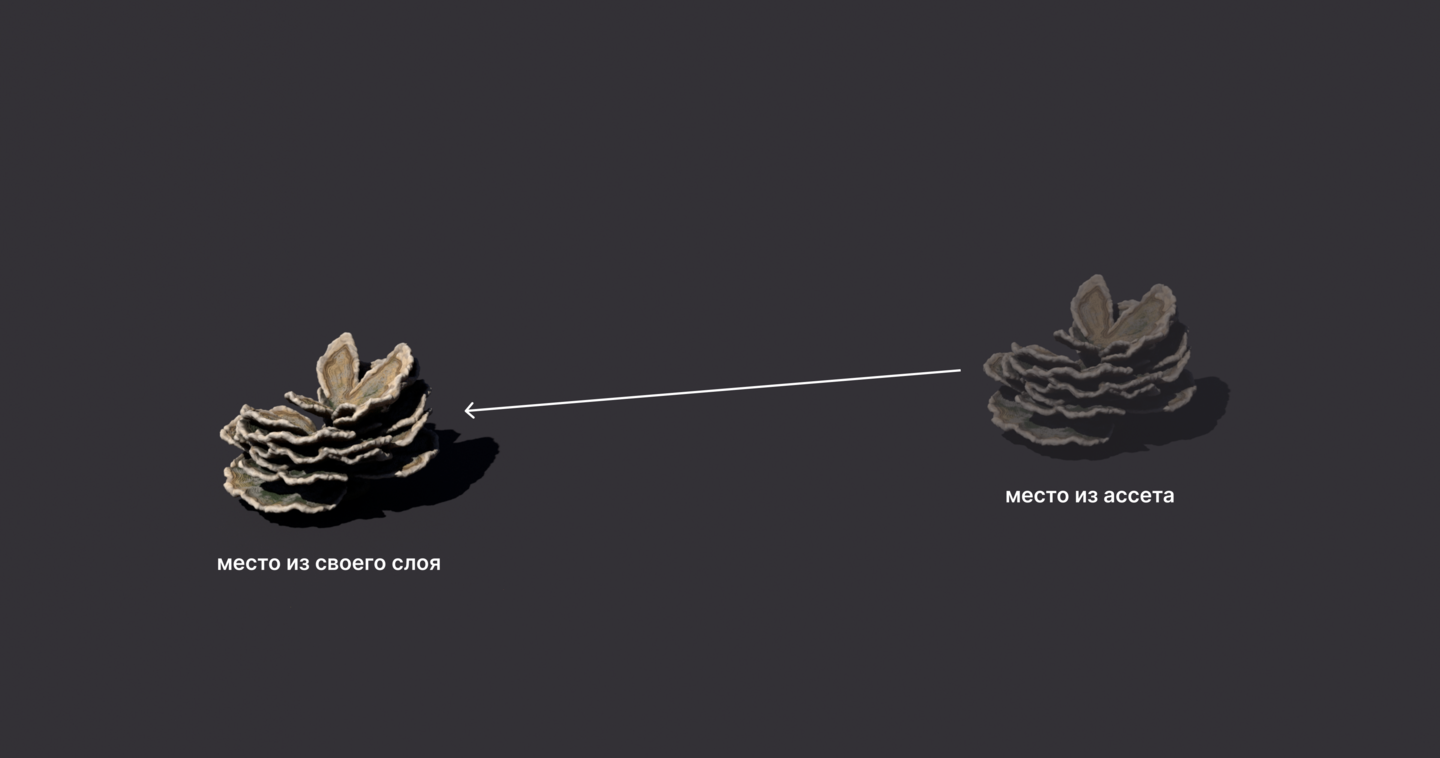
Layers dispute only when they contain identical content. In that case, the layer on top prevails.
1. Stack of Layers
In the Solaris scene, the composition is built up in layers, much like a stack of collages. The SubLayer node places files one on top of another in a list, with each subsequent layer sitting atop the previous one—meaning the last layer has the strongest effect.
These stacked layers are referred to as a layer stack, and the process of connecting a file into the stack altogether is called a sublayer.
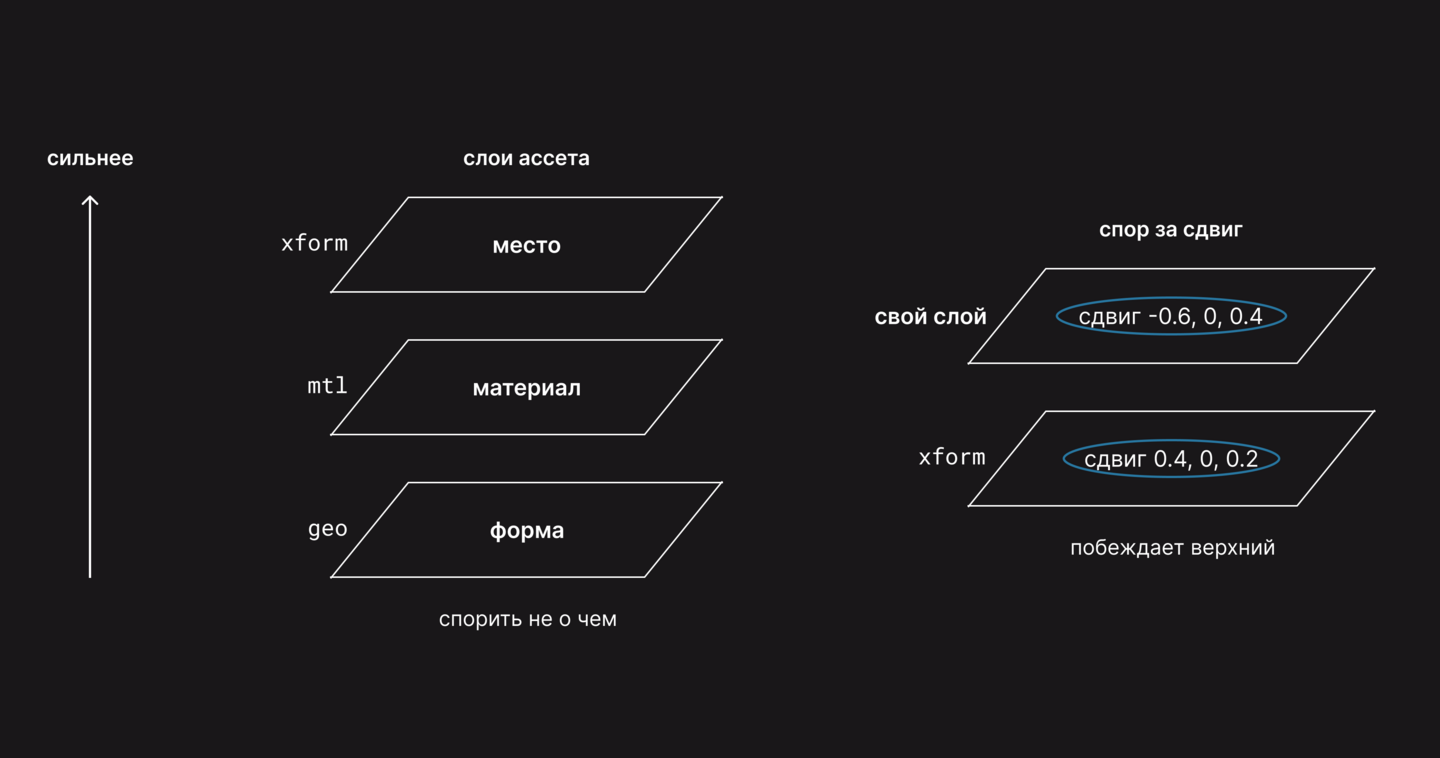
The coral_mushroom from the academic project exists in three layers. The geo layer defines the shape, the mtl layer defines the material, and the xform layer defines the position. Each layer handles its own data, so the order does not matter.
An attribute stores a single primary value, such as a displacement. The value of an attribute in a specific layer is called an opinion.
Assembling the coral in two nodes: SubLayer.
1. The files are geo, mtl, xform.
2. The same files, in reverse order.
The coral is identical in both cases.
Layers are just one way to build the scene. The order of their influence is called LIVERPS, by letter for the method. The course requires L (layers) and R (references from Lesson 6).
2. Node Setup
In Shot, the asset’s placement is typically determined by the layout department, which places its layer on top of the asset. We write this layer, and the numbers indicate the node order.
1. SubLayer compiles the coral from three asset layers.
2. Layer Break cuts off everything above it. Only the edit will enter our file.
3. Edit Properties moves the coral.
4. USD ROP records the layer.
Edit Properties corrects the object’s attributes.
1. The Edit Properties button opens a window. Drag xformOp: translate from coral_mushroom into Existing Parameters and click Accept.
2. The path to the coral in Primitives is /World/env/corals/coral_mushroom; it is visible in the tree.
3. Turn off the Compute Extent Attribute; otherwise, the coral’s dimensions will be recorded in the layer.
4. In xformOp: translate, enter the new location.
xformOp refers to the translation, rotation, and scale recorded by the object’s standard attributes. The translation is stored in xformOp: translate.
ROP USD writes its layer.
1. In the Output File, we specify $HIP/layout_XXX.usda, next to the scene.
2. We click Save to Disk.
The file only requires an edit—a single line for the offset.
The keyword 'def' means the layer creates a primitive, whereas 'geo' creates a corral. 'over' only modifies a primitive created in another layer.
A thought-provoking question: Where will the coral land if I place my layer as the first SubLayer?
3. Review
The shift is written by two layers: the xform and ours. 1. If our layer is the last one, it overrides the xform, and the coral snaps to a new position. 2. If our layer is the first one, the xform overrides it, and the coral remains in the asset’s original position. That answers the question.
The rotation and material are the same; our layer does not write those properties.
We place our layer above the layer it controls. In SubLayer, this means further down the list.
4. Practical Assignment
Task. Assemble the coral_mushroom coral from three layers of the course project in two orders. The layers are located in $JOB/assets/Environment/Corals/coral_mushroom/publish/usd/. Record your layout layer that animates the coral and test it last and first in the stack.
What to submit. The scene, your layer, and two viewport renders.
With an asterisk. Rotate the coral using the same layer and find which asset layer it conflicts with.
Passed if
1. In both sequences, the three layers of the coral are identical.
2. In its own layer, only over with a new xformOp, without def.
3. The layer that moves the coral last, and does not move it first.
4. The asset layers remain unchanged, and its layer is adjacent to the scene.
Common Mistakes. If your layer has no primitives, it means Edit Properties is positioned above Layer Break.
If your layer contains the subLayers string with asset layers, it means there is no Layer Break before Edit Properties.
If the coral did not shift, it means your layer is listed in the SubLayer list before xform.
Next, we will explore where to store layers and how to name them.
Course Description · Start